
Govt Exam Photo Size Requirements Guide for Applicants
Official dimensional, DPI, aspect ratio, and file weight specifications for SSC, UPSC, IBPS, Railway RRB, NTA, and State PSC application portals.
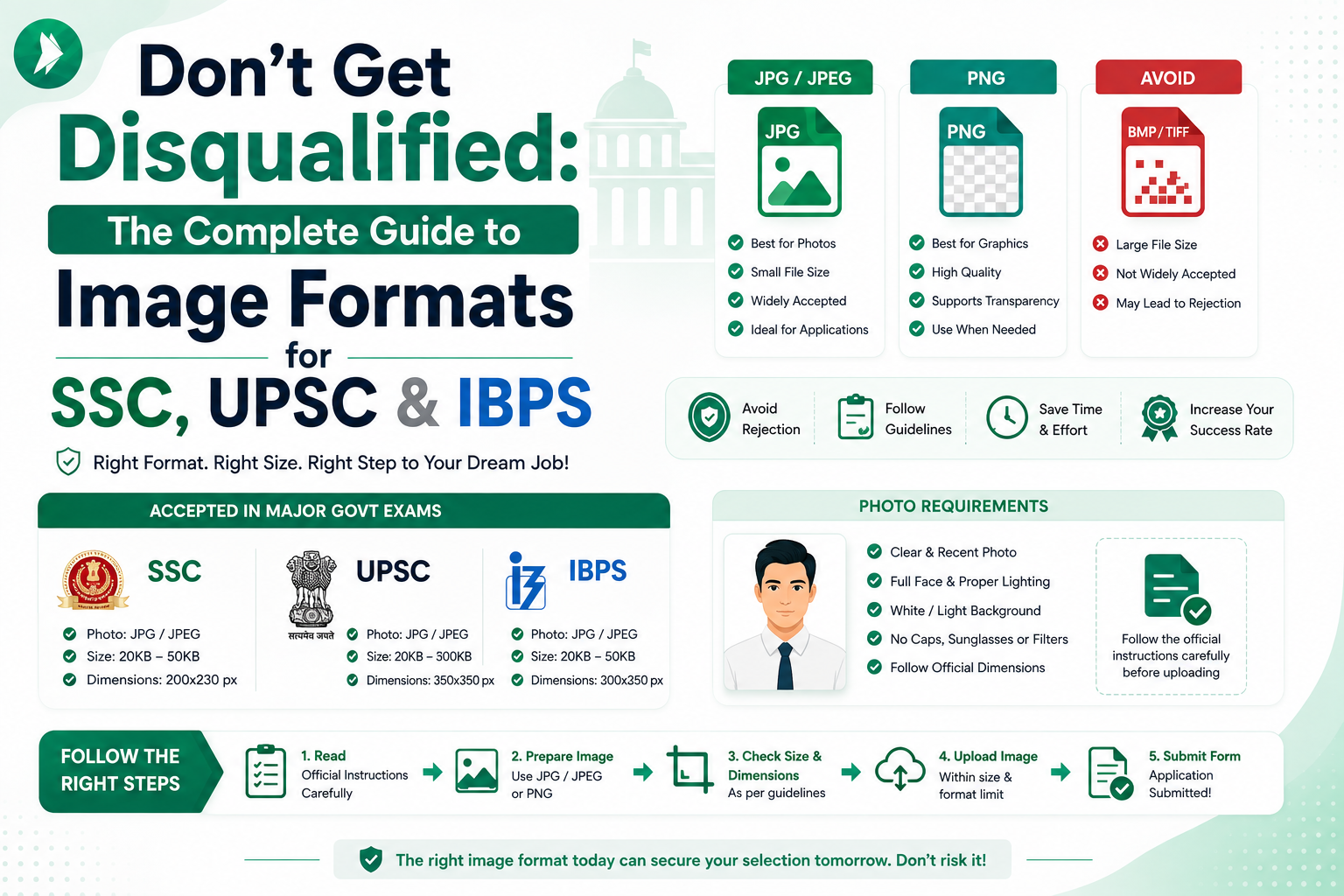
Applying for public service positions in India often feels like a complex puzzle. One of the most common hurdles involves meeting strict govt exam photo size requirements before you hit the submit button. Official portals frequently enforce precise dimensions, file formats, and specific kilobyte limits that can lead to instant application rejection if ignored.
We created this guide to help you navigate these technical hurdles with confidence. Proper preparation is the secret to a stress-For Free submission process. Whether you are dealing with strict pixel counts or background color rules, we have you covered.

If you find your files are too large, ImageTo20KB.com offers a simple, reliable solution to compress your images instantly. This resource will walk you through official instructions, quality standards, and final checks to ensure your documents are perfect.
Key Takeaways
- Understand the importance of meeting official digital document standards.
- Learn how to adjust dimensions and file formats for online portals.
- Discover how ImageTo20KB.com simplifies the compression process.
- Identify common mistakes that lead to application rejections.
- Follow our step-by-step tips for high-quality, compliant uploads.
Why Correct Exam Photos Matter for Indian Government Applications
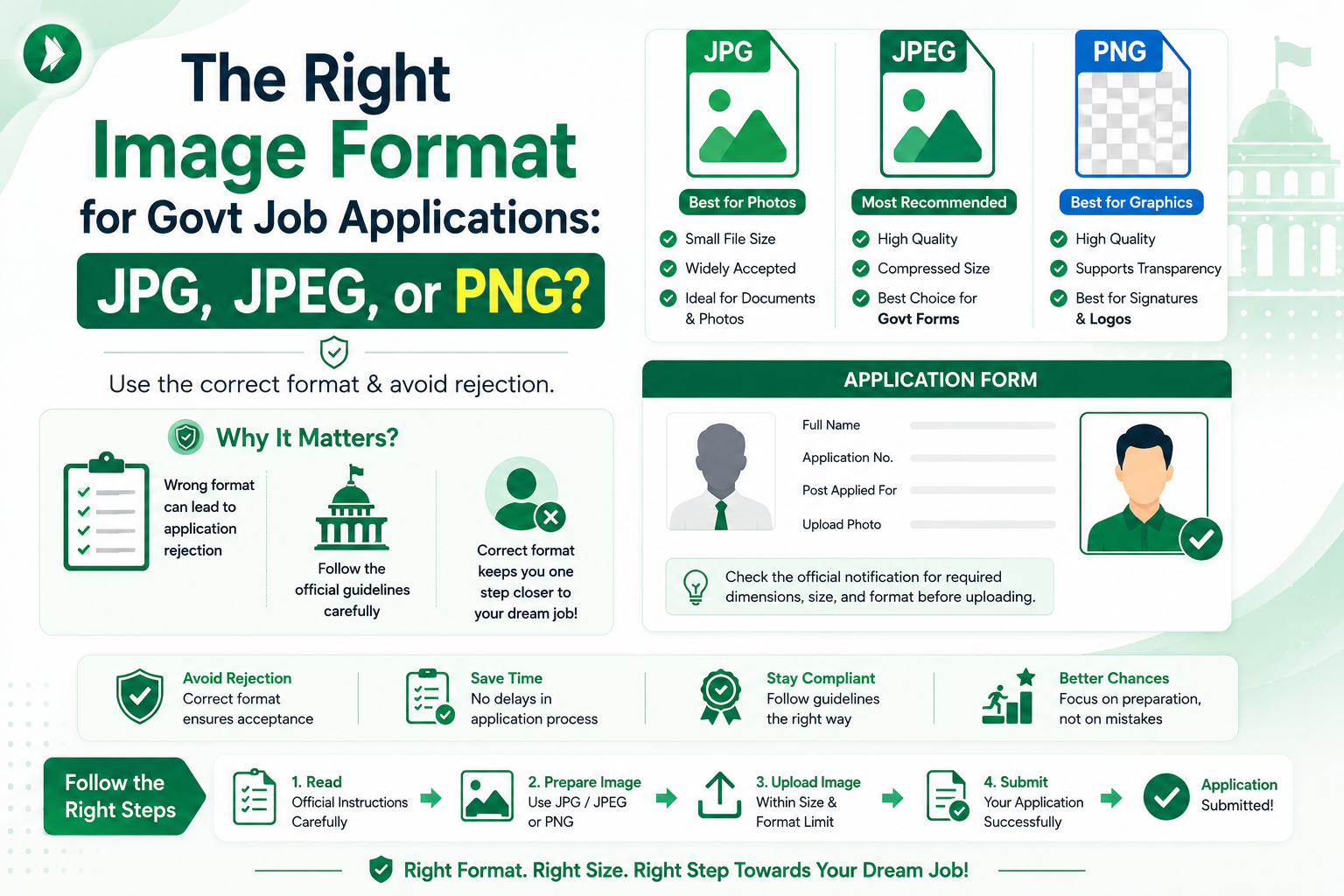
Understanding government exam photo specifications is a critical step in ensuring your application reaches the selection committee. Many candidates treat these rules as mere suggestions, but they are actually strict requirements for processing your file. Following these guidelines ensures that your digital identity matches the high standards expected by recruitment boards across India.
How Photo Errors Can Affect Application Submission
When you ignore specific file size or dimension rules, you risk immediate rejection by the automated portal. A simple mistake, such as an incorrect file format or an oversized image, can lead to frustrating validation errors. These technical hurdles often force you to restart the entire application process, which wastes valuable time as deadlines approach.
Beyond simple rejections, poor-quality photos can cause issues during the verification stage. If your image is blurry or improperly cropped, officials may flag your profile for further review. Ensuring your file meets all government exam photo specifications is the best way to avoid these unnecessary delays and keep your candidacy on track.
Why Requirements Differ Across Recruiting Authorities
It is a common mistake to assume that one set of photo settings works for every exam. Recruiting authorities like the UPSC, SSC, and IBPS each maintain their own unique set of government exam photo specifications to suit their specific database systems. These differences exist because each organization uses different software to process and store applicant data.
Always check the official notification for the specific exam you are targeting. Never rely on settings you used for a previous application, as even minor changes in pixel requirements can lead to a failed upload. Staying informed about the current rules for your specific exam is the most reliable way to ensure success.
How ImageTo20KB.com Supports Smoother Uploads
Preparing a compliant image can feel overwhelming, especially when you are balancing strict file size limits. This is where ImageTo20KB.com becomes a valuable resource for applicants. Our tool is designed to help you resize and compress your files to meet the exact requirements of various Indian recruitment portals.
While our platform simplifies the technical side of image preparation, remember that you must always verify your final file against the official notification. By combining the right tools with careful attention to detail, you can submit your application with complete confidence. Use our service to handle the heavy lifting while you focus on your exam preparation.
Govt Exam Photo Size Requirements Applicants Should Check
Every government job application comes with a unique set of digital image rules. Before you hit the upload button, it is vital to verify the specific govt exam photo size requirements for your chosen recruitment board. These rules ensure that your identity is verified correctly during the examination process.
Maximum and Minimum File Size Limits
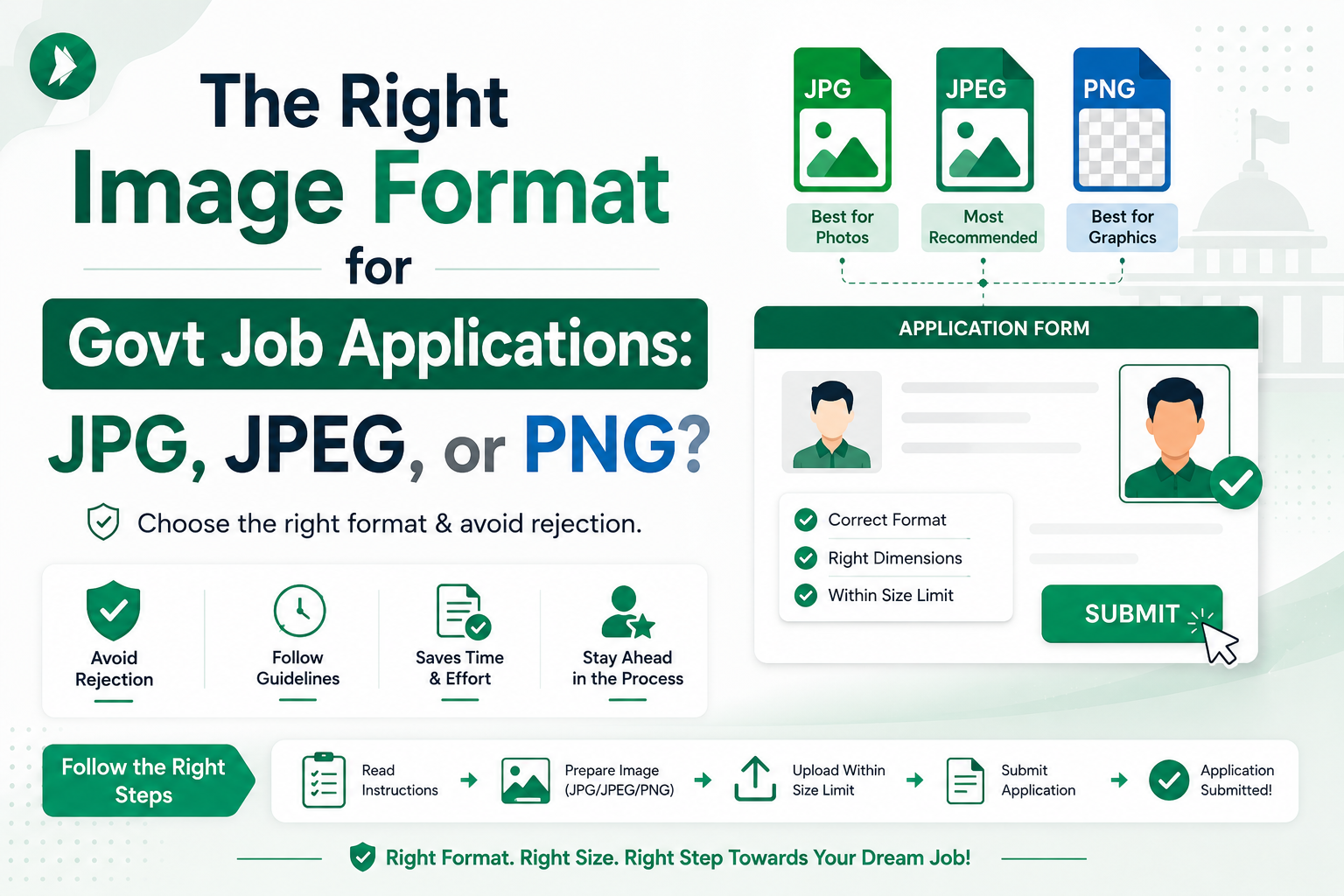
Most portals enforce a strict file size limit to keep their servers running smoothly. You will often find that files must be under 20KB or 50KB. If your file is too large, you can easily use ImageTo20KB.com to compress your image without losing clarity.
Required Photo Dimensions and Aspect Ratios
Recruiting authorities specify official exam picture dimensions to ensure consistency across all applications. These are usually measured in pixels, such as 200x230 or 3.5cm x 4.5cm. Always check if the portal requires a specific aspect ratio to prevent your photo from appearing stretched or distorted.
Accepted File Formats for Online Forms
The most common file formats accepted by Indian government portals are JPEG and JPG. Some systems may also accept PNG files, but it is safer to stick to the format explicitly mentioned in the instructions. Always verify the extension before you attempt to upload your file.
When a Recent Photograph Is Required
Your photograph should be a true representation of your current appearance. Most notifications mandate that the photo must be taken within the last three to six months. Using an old photo can lead to rejection at the exam center if the invigilator cannot verify your identity.
Why Applicants Must Follow the Official Notification
Technical specifications can change between different recruitment cycles. Never assume that the rules for one exam apply to another. You must compare your file against the current notification to ensure full compliance.
| Requirement Category | Typical Standard | Why It Matters |
|---|---|---|
| File Size | 10KB - 50KB | Ensures fast portal loading |
| File Format | JPEG / JPG | Universal compatibility |
| Dimensions | 3.5cm x 4.5cm | Standard ID verification |
| Recency | Within 3-6 Months | Accurate identity matching |
Where to Find Official Exam Picture Specifications in India
Navigating the complex world of Indian government recruitment requires attention to detail. Before you upload any file, you must identify the exact government exam photo specifications provided by the recruiting body. Relying on guesswork often leads to rejected applications, so always prioritize official documentation.
https://www.youtube.com/watch?v=x6FgfKn8PUU
Recruitment Notifications and Information Brochures
The most reliable source for your photo requirements is the official notification released by the recruitment board. These documents contain a dedicated section detailing the necessary file size, dimensions, and background color. Always read the entire brochure to ensure you do not miss specific instructions regarding recent photographs.
Instructions on Official Application Portals
When you begin the online registration process, the application portal often displays specific guidelines on the upload page. These instructions are frequently updated to reflect the latest technical requirements for that specific cycle. Check these portals regularly, as they provide the most current information for your submission.
Examples From UPSC, SSC, IBPS, SBI, and Railway Recruitment Forms
Different organizations have unique standards for their candidates. For instance, the UPSC might require specific dimensions that differ from those requested by the SSC or IBPS. Even when the goal is a clear identification photo, the official exam picture dimensions can vary significantly between these major bodies.
"Precision in documentation is the first step toward a successful career in public service."
How to Handle Conflicting Information From Unofficial Websites
Many third-party websites provide general advice that may be outdated or incorrect for your specific exam. These sites often recycle old data from previous years, which can lead to disqualification if you follow their outdated file limits. Always verify any information you find online against the official notification provided by the government authority.
Once you have confirmed the exact requirements from the official source, you can use ImageTo20KB.com to prepare your file. This tool helps you meet the strict criteria quickly and safely, ensuring your photo is ready for the final upload.
Photo Dimensions, Resolution, File Format, and File Size Explained
Getting your digital photograph ready requires a clear grasp of dimensions, resolution, and file formats. When you apply for government positions in India, following the test photograph size guidelines is the first step toward a successful submission. These technical details ensure that your identity is verified quickly by the recruitment board.
Understanding Pixels, Inches, and Aspect Ratios
Pixels represent the smallest units of a digital image, while inches refer to the physical size if the photo were printed. The aspect ratio is the proportional relationship between the width and the height of your image. Maintaining the correct ratio prevents your face from appearing stretched or squashed during the upload process.
Choosing a Practical Resolution for Clear Identification
High-quality exam picture resolution standards are vital for facial recognition. A resolution of 200 DPI (dots per inch) is often sufficient for most online portals. This balance ensures that your features remain sharp and identifiable without creating an unnecessarily large file.
"A clear, high-quality photograph is the most important document in your application, as it serves as the primary proof of your identity during the examination process."
Comparing JPEG, JPG, PNG, and Other Common Formats
Most government portals prefer specific file formats to ensure compatibility. While JPEG and JPG are essentially the same, they are the industry standard for web uploads due to their efficient compression. PNG files are also common, but they often result in larger file sizes that may exceed strict limits.
| Format | Best Use Case | Compression Type |
|---|---|---|
| JPEG/JPG | Standard Exam Photos | Lossy (Efficient) |
| PNG | High-Detail Graphics | Lossless (Larger) |
| BMP | Not Recommended | Uncompressed |
Balancing Image Quality With a Strict Kilobyte Limit
You must often keep your file size under a specific limit, such as 20KB. Tools like ImageTo20KB.com help you achieve this balance by reducing the file size while maintaining visual clarity. Always inspect your photo after compression to ensure that your facial features are still distinct.
Why File Size and Image Dimensions Are Separate Requirements
It is a common mistake to confuse physical dimensions with file size. Dimensions define the width and height in pixels, while file size measures the digital storage space in kilobytes. You can have a small image with a large file size if the image data is not compressed properly.
How Excessive Compression Can Make a Photo Unusable
Over-compressing your image can lead to pixelation and blurriness, which may cause your application to be rejected. Adhering to exam picture resolution standards means finding the "sweet spot" where the file is small enough to upload but clear enough to see. Always keep a high-quality backup of your original photo before you begin the resizing process.
Background, Lighting, Clothing, and Pose Standards for Exam Photos
Your application success often starts with a photograph that meets strict visual standards. While many applicants focus solely on the digital file, the quality of the original image is paramount. Following test photograph size guidelines ensures that your submission remains professional and compliant with recruitment board expectations.
Using a Plain White or Light-Colored Background
Most Indian government recruitment portals mandate a plain white or off-white background. This neutral backdrop helps software systems identify your facial features without interference. Avoid busy patterns, outdoor scenery, or dark walls, as these can lead to immediate rejection by automated systems.
Keeping the Face Clearly Visible and Centered
Your face should occupy the majority of the frame, looking directly into the camera lens. Ensure your expression is neutral with both eyes open and clearly visible. Proper alignment is essential, as off-center photos often fail to meet the specific cropping requirements of official forms.
Managing Glasses, Head Coverings, Shadows, and Reflections
Reflections on glasses or heavy shadows across your face can obscure your identity. If you wear spectacles, ensure there is no glare on the lenses. While religious head coverings are generally permitted, they must not hide your facial features or cast shadows on your forehead.
"A high-quality, well-lit photograph is the foundation of a successful application. No amount of digital editing can fix a photo that lacks proper lighting or correct posture."
Following Rules for Recent, Formal, and Passport-Style Photographs
Always use a recent photograph taken within the last three to six months to ensure you are easily recognizable. Dress in formal attire and maintain a professional, passport-style pose. Once you have captured the perfect shot, you can use ImageTo20KB.com to finalize your file according to the required test photograph size guidelines.
| Feature | Compliant | Non-Compliant |
|---|---|---|
| Background | Plain White | Patterned/Dark |
| Lighting | Even/Bright | Shadowy/Dim |
| Pose | Front-facing | Side-profile |
| Attire | Formal | Casual/Hoodies |
Remember that official notifications always take priority over general advice. Always verify the specific requirements for your exam before finalizing your image.
Preparing a Compliant Photograph Before Resizing
You can easily master govt test photo size regulations by starting with a high-quality original image. Many applicants struggle because they try to fix poor-quality photos during the compression stage. By focusing on the source file first, you ensure that your final submission looks professional and meets all official criteria.

Taking a Sharp Photo With a Phone or Digital Camera
Modern smartphones are more than capable of capturing a high-resolution image suitable for government portals. Ensure your camera lens is clean and that you are standing in a well-lit area, preferably facing a natural light source. Avoid using the flash, as it often creates harsh shadows or reflections on your face.
Maintain a direct-facing pose with your eyes level with the camera. Keep your expression neutral and ensure your entire head and shoulders are visible within the frame. A steady hand or a tripod will help you achieve the necessary sharpness for a clear identification photo.
Removing Distracting Objects and Uneven Backgrounds
Official guidelines almost always require a plain, light-colored background. If you do not have a white wall, hang a plain sheet to create a clean, uniform backdrop. Remove any clutter from the frame, such as furniture, posters, or other people, to keep the focus entirely on you.
Checking Facial Clarity Before Editing the File
Before you attempt to follow specific govt test photo size regulations, zoom in on your digital file to check for blurriness. Your facial features, including your eyes and ears, must be clearly visible and sharp. If the image is pixelated or out of focus, it is better to retake the shot immediately rather than trying to edit it later.
Keeping the Original Image as a Backup
Always save your high-quality original photograph in a safe folder on your computer or cloud storage. Never overwrite your original file when you begin the cropping or compression process. Having the master copy allows you to restart the process if you need to adjust your settings or if a specific portal requires a different aspect ratio.
Once you have a perfect, high-resolution original, you can confidently use ImageTo20KB.com to resize your file. This workflow ensures that you maintain the best possible quality while meeting the strict file-size limits required for your application.
How to Resize an Exam Photo to 20KB With ImageTo20KB.com
Meeting strict govt exam photo size requirements can be a challenge, but ImageTo20KB.com makes the process simple and efficient. Many online portals in India demand precise file sizes, and failing to meet these can lead to an immediate rejection of your application.
Upload the Correct Photograph to ImageTo20KB.com
Start by selecting a high-quality, clear photograph from your device. Ensure that the image you choose follows the official guidelines regarding your pose and background. Once you have identified the correct file, simply upload it to the ImageTo20KB.com interface.
Set or Confirm the Target File Size Near 20KB
After the upload is complete, the tool will allow you to specify your target size. Most government portals require files to be under or exactly near 20KB. Always double-check the specific notification for your exam to ensure you are aiming for the correct limit.
Download the Compressed Image in the Required Format
Once the compression process finishes, you can download your new file. Make sure to select the format requested by the portal, such as JPEG or JPG. Saving the file with a clear name will help you find it easily when you are ready to upload.
Verify the Final File Before Uploading It to the Exam Portal
Before you submit your application, check the properties of the downloaded file. Right-click the image to view its size in kilobytes to confirm it meets the govt exam photo size requirements. This final verification step prevents errors during the actual submission process.
Why ImageTo20KB.com Is Useful for Strict Kilobyte Limits
This tool is specifically designed for applicants who need to balance image quality with very small file sizes. While it handles the technical compression perfectly, remember that it cannot change your photo's dimensions or appearance. You must ensure your original photo is already compliant with the visual rules set by the recruiting authority.
How to Avoid Resizing the Wrong Photo
It is easy to accidentally select an old or incorrect version of your photograph. Always check the file date and appearance before uploading it to the tool. Taking a moment to verify your selection ensures you do not waste time processing the wrong image.
| Step | Action | Goal |
|---|---|---|
| 1 | Select File | Choose correct photo |
| 2 | Set Target | Hit 20KB limit |
| 3 | Download | Save in JPEG |
| 4 | Verify | Confirm file size |
How to Crop and Compress Without Losing Identification Quality
Achieving the perfect balance between file size and image clarity is essential for your application. When you follow test photograph size guidelines, you ensure that your submission remains professional and compliant with official requirements. Using the right tools helps you maintain high quality while meeting strict digital limits.
Crop the Image to Match the Required Proportions
Most recruitment portals require specific aspect ratios, such as 3:4 or 1:1. You should use a cropping tool to remove excess background space while keeping the subject centered. Precision is key to ensuring your photo fits the portal's frame without stretching or distortion.
Keep the Head and Shoulders Within the Correct Area
Your face should occupy about 70% to 80% of the total frame. Ensure that your head and shoulders are clearly visible and centered within the crop area. This placement helps automated systems verify your identity quickly and accurately.
Reduce File Size Gradually Instead of Overcompressing Immediately
When using ImageTo20KB.com, it is best to adjust your settings in small increments. Instead of forcing a massive reduction in one go, try to reach the target size through gradual compression. This method preserves the integrity of your image while adhering to exam picture resolution standards.
Inspecting Facial Details After Compression
Always review your file after the compression process is complete. Zoom in on your eyes, nose, and mouth to ensure they remain sharp and recognizable. If the details look fuzzy, you may need to adjust your settings to prioritize clarity over a smaller file size.
Signs That Compression Has Gone Too Far
You should watch for specific visual warnings that indicate the image quality has dropped below acceptable levels. Common signs include:
- Blocky or pixelated facial features.
- Severe blurriness that obscures your identity.
- Noticeable color banding in the background.
- Dark, muddy areas where details should be crisp.
- Unreadable text or distorted edges.
When to Retake the Photo Instead of Editing It
Sometimes, no amount of editing can fix a poor-quality original. If your source photo is out of focus, poorly lit, or has a distracting background, it is better to retake the picture. A high-quality original ensures that your final submission meets all exam picture resolution standards without compromise.
Photo Requirements Across Common Indian Government Exams
Navigating the diverse landscape of government exam photo specifications requires careful attention to detail. Each recruiting body in India maintains its own set of standards to ensure candidate identification remains accurate and secure.
UPSC Application Photograph Considerations
The Union Public Service Commission typically demands high-quality, recent photographs. Applicants must ensure their images are clear, with a neutral expression and a plain background to meet their strict standards.
SSC Examination Photo Specifications
Staff Selection Commission portals often require specific dimensions and a recent date stamp on the photo. Following these precise instructions is critical to prevent your application from being rejected during the initial screening phase.
IBPS and SBI Banking Examination Upload Rules
Banking exams managed by IBPS and SBI often focus on strict file size limits to ensure their servers handle thousands of uploads efficiently. You will frequently find that these portals require a very specific kilobyte range for your digital file.
Railway Recruitment Board Photograph Guidelines
The Railway Recruitment Board (RRB) provides detailed guidelines regarding the lighting and posture of the candidate. It is essential to review their latest notification, as they occasionally update their technical requirements for digital uploads.
State Public Service Commission and Police Recruitment Requirements
State-level exams and police recruitment boards often have unique govt test photo size regulations that differ from national exams. Always check the specific portal instructions, as these requirements can vary significantly between different states and departments.
Why Examples Cannot Replace the Current Official Notification
You should never assume that a requirement from a previous year or a different agency applies to your current application. Official notifications are the only authoritative source for the exact dimensions and file formats you must follow.
How to Compare Dimensions and Kilobyte Limits Safely
To ensure success, compare the requirements listed in your specific notification against the upload tool's settings. You can use ImageTo20KB.com to adjust your file once you have confirmed the exact constraints required by the portal. This safe method ensures your image meets all govt test photo size regulations before you hit the submit button.
| Recruiting Authority | Typical Focus | Common Constraint |
|---|---|---|
| UPSC | Clarity & Quality | Strict Dimensions |
| SSC | Date Stamp | File Size Limit |
| Banking (IBPS/SBI) | Server Optimization | Low Kilobyte Limit |
| Railway (RRB) | Pose & Lighting | Format Compliance |
Common Upload Problems and Practical Ways to Fix Them
Encountering errors while uploading your government exam photo can be incredibly frustrating for any applicant. Often, these issues stem from minor technical oversights that prevent the system from accepting your file. By understanding the underlying requirements, you can quickly resolve these hurdles and move forward with your application.
What to Do When the File Is Larger Than the Allowed Limit
Most recruitment portals enforce strict file size caps to ensure their servers remain efficient. If your image exceeds the limit, you do not need to retake the photo. Instead, use ImageTo20KB.com to compress your file while maintaining the necessary visual clarity.
Fixing Incorrect Dimensions or Aspect Ratios
Official portals often reject images that do not match their specific width and height requirements. It is essential to align your file with the exam picture resolution standards provided in the notification. You should crop your image to the correct proportions separately before attempting the final upload.
Resolving Blurry, Dark, or Pixelated Photograph Errors
Technical tools cannot fix a poor-quality source image. If your photograph is blurry, dark, or pixelated, the system may flag it as invalid for identification purposes. In these cases, the best solution is to take a new, well-lit photograph against a plain background to ensure your face is clearly visible.
Handling Unsupported File Extensions
Recruitment websites usually accept specific formats like JPEG or JPG. If you try to upload a PNG or a HEIC file, the portal will likely trigger an error message. Always ensure your final file is saved in the exact format requested by the recruiting authority.
Checking File Names, Special Characters, and Folder Locations
Sometimes, the issue is as simple as the file name itself. Avoid using special characters or long, complex names that might confuse the upload script. Keep your file name simple, such as "photo_exam.jpg," and ensure you are selecting the file from a local folder rather than a cloud-synced drive.
What to Do When the Portal Rejects a Valid-Looking Image
Occasionally, a portal may reject a file for hidden technical reasons, even when it appears perfect in your image viewer. This often happens due to metadata issues or non-compliant exam picture resolution standards that are not immediately visible to the human eye. If this occurs, try re-saving the image using a standard editor or re-processing it through a reliable tool to strip away unnecessary metadata.
Privacy and Security Tips for Resizing Application Photos Online
Protecting your personal data is just as important as meeting govt test photo size regulations. While online tools make the application process faster, you must always prioritize your digital safety. Being mindful of how you handle your files ensures that your personal information remains protected throughout your exam journey.
Using a Trusted Tool for Sensitive Applicant Images
Always choose a reliable service when you need to adjust your images. ImageTo20KB.com is designed to help you meet specific requirements without unnecessary complications. By using a dedicated and trusted platform, you reduce the risk of exposing your data to unknown third parties.
Checking the Website Address Before Uploading a File
Before you upload any file, take a moment to verify the URL in your browser. Ensure you are visiting the correct address for ImageTo20KB.com to avoid phishing sites that mimic legitimate services. A quick check of the web address is a simple but effective way to maintain your security.
Avoiding Unnecessary Personal Documents and Extra Uploads
You should only upload the specific photograph required for your application. Avoid uploading sensitive documents like your Aadhar card, PAN card, or bank statements when you only need to resize a photo. Keeping your uploads limited to the bare minimum helps protect your identity from potential misuse.
Deleting Downloaded Copies From Shared Devices
If you use a public computer or a shared device, always remember to delete your files after you finish. Clear your browser history and remove the resized image from the "Downloads" folder. This simple habit prevents others from accessing your personal photos or application materials later.
Reviewing ImageTo20KB.com’s Secure Workflow Before Use
Before you start, take a moment to review the workflow provided on our site. Understanding how the tool processes your images gives you peace of mind while you work to satisfy govt test photo size regulations. We encourage all applicants to stay informed about how their files are handled during the compression process.
| Security Practice | Why It Matters | Action Required |
|---|---|---|
| Verify URL | Prevents phishing | Check address bar |
| Data Minimization | Reduces exposure | Upload only photos |
| Clear Downloads | Protects privacy | Delete after use |
| Trusted Tools | Ensures reliability | Use ImageTo20KB.com |
Final Pre-Submission Checklist for a Government Exam Photograph
Ensuring your photograph meets every requirement is the final step toward a successful application. A quick review can prevent common errors that lead to form rejection.

Confirming the Current Exam Notification
Always revisit the official notification provided by the recruiting body. Requirements can change between different recruitment cycles, so never rely on outdated information from previous years.
Checking Dimensions, Resolution, Format, and Kilobytes
Verify that your file adheres to the specific govt exam photo size requirements. Double-check that the official exam picture dimensions match the portal's request exactly to avoid scaling issues.
Reviewing Background, Pose, Lighting, and Facial Clarity
Ensure your background is plain and your face is clearly visible without shadows. A professional, neutral expression is essential for identification purposes during the examination process.
Opening the Downloaded File Before Uploading
Before you upload, open the file on your computer to confirm it is the correct version. Check that the image is not blurry and that the file size is within the allowed limit.
Saving the Submitted Image and Application Confirmation
Keep a copy of the exact image you uploaded alongside your application confirmation. Having these records ensures you have proof of your submission for future reference.
Checklist for Photos Resized With ImageTo20KB.com
- Confirm you selected the correct file from your device.
- Verify the target size is near the 20KB limit.
- Check that facial details remain sharp and readable.
- Ensure the file passes the portal's validation check successfully.
Conclusion
Securing a position in the Indian public sector starts with a perfect application. Always verify the current official notification before you prepare your photograph for any exam. Relying on outdated generic govt test photo size regulations often leads to avoidable submission errors.
ImageTo20KB.com provides a reliable way to resize your images when portals demand strict file limits near 20KB. This tool helps you meet specific requirements without sacrificing the clarity of your face. You can trust this platform to handle your files with care during the preparation process.
Take a moment to double-check your dimensions, file format, and total kilobytes before you hit the submit button. Clear facial visibility remains the most important factor for a successful upload. Careful preparation ensures your application moves forward without technical delays.
Your attention to detail makes a significant difference in the recruitment process. Use these steps to navigate complex govt test photo size regulations with confidence. A compliant photo is your first step toward a successful career in government service.
Frequently Asked Questions
Portal upload validators evaluate file weight strictly in bytes (20,480 bytes). A 20.5 KB file will trigger an immediate upload error and prevent form submission.
Yes. SSC, UPSC, IBPS, and RRB all mandate a plain white or very light grey background with no shadows or decorative elements.
Yes. Both ears must be clearly visible facing straight toward the camera with a neutral facial expression.
200 DPI is standard across NSDL PAN and state exam scanning portals.
For most major exams like those held by the Staff Selection Commission (SSC) or the Union Public Service Commission (UPSC), the file size typically needs to fall between 20KB and 50KB. Using a specialized tool like ImageTo20KB.com allows you to precisely hit these govt exam photo size requirements without sacrificing the clarity needed for your admit card.
You should always check the official recruitment notification or information brochure provided by the agency, such as the Institute of Banking Personnel Selection (IBPS) or State Bank of India (SBI). These documents provide the exact government exam photo specifications, including the required background color, pixel count, and file format.
While requirements can vary, the most frequent official exam picture dimensions are 3.5 cm x 4.5 cm (width x height) or approximately 132 x 170 pixels. Before you use ImageTo20KB.com to compress your file, make sure your image is cropped to these proportions to avoid stretching or distortion during the upload process.
Following test photograph size guidelines is critical because government portals use automated validation systems. If your photo is even 1KB over the limit or has the wrong aspect ratio, the system may reject your application entirely, potentially causing you to miss important deadlines for exams like the Railway Recruitment Board (RRB).
Most authorities recommend exam picture resolution standards of 200 DPI (dots per inch). This ensures that when your hall ticket is printed, your facial features are sharp and recognizable. If the resolution is too low, the image will look "blocky" or pixelated, which could lead to issues at the exam center.
ImageTo20KB.com is designed to take high-quality images and compress them into the small file sizes required by govt test photo size regulations. It balances the need for a small kilobyte count with the necessity of keeping your face clear and identifiable, which is often difficult to do with standard image editors.
It is highly discouraged. Most government exam photo specifications require a formal, passport-style photograph taken against a plain white or light-colored background. For the best results, have someone else take a steady photo of you in formal attire, then use ImageTo20KB.com to adjust the file size to the portal's specific limit.
If you have already followed the govt exam photo size requirements but still face rejection, check the file extension. Most portals only accept.jpg or .jpeg formats. Also, ensure the file name is simple and contains no special characters or spaces, as these can often trigger errors in older government database systems.
Yes, ImageTo20KB.com provides a secure and streamlined workflow for applicants. However, as a general rule for govt test photo size regulations, you should always perform your edits on a trusted device and avoid uploading unrelated personal documents like your Aadhaar card or PAN card to any third-party resizing tool.
Absolutely! After using ImageTo20KB.com to meet the official exam picture dimensions, save a copy of the final version on your phone or computer. You may need the exact same file for future stages of the recruitment process, such as interview call letters or document verification sessions.